Solution
Built in Airtable with n8n handling the automation layer, the system runs on a structured budget classification with 6 parent categories and 30+ line items: Revenue, COGS, Direct Selling Expenses, Indirect Selling Expenses, OPEX, and Financial Expenses. Every transaction is tagged with a budget category and a finance period. The P&L is fully automated — plan and fact amounts are calculated per category per period, with no manual aggregation.
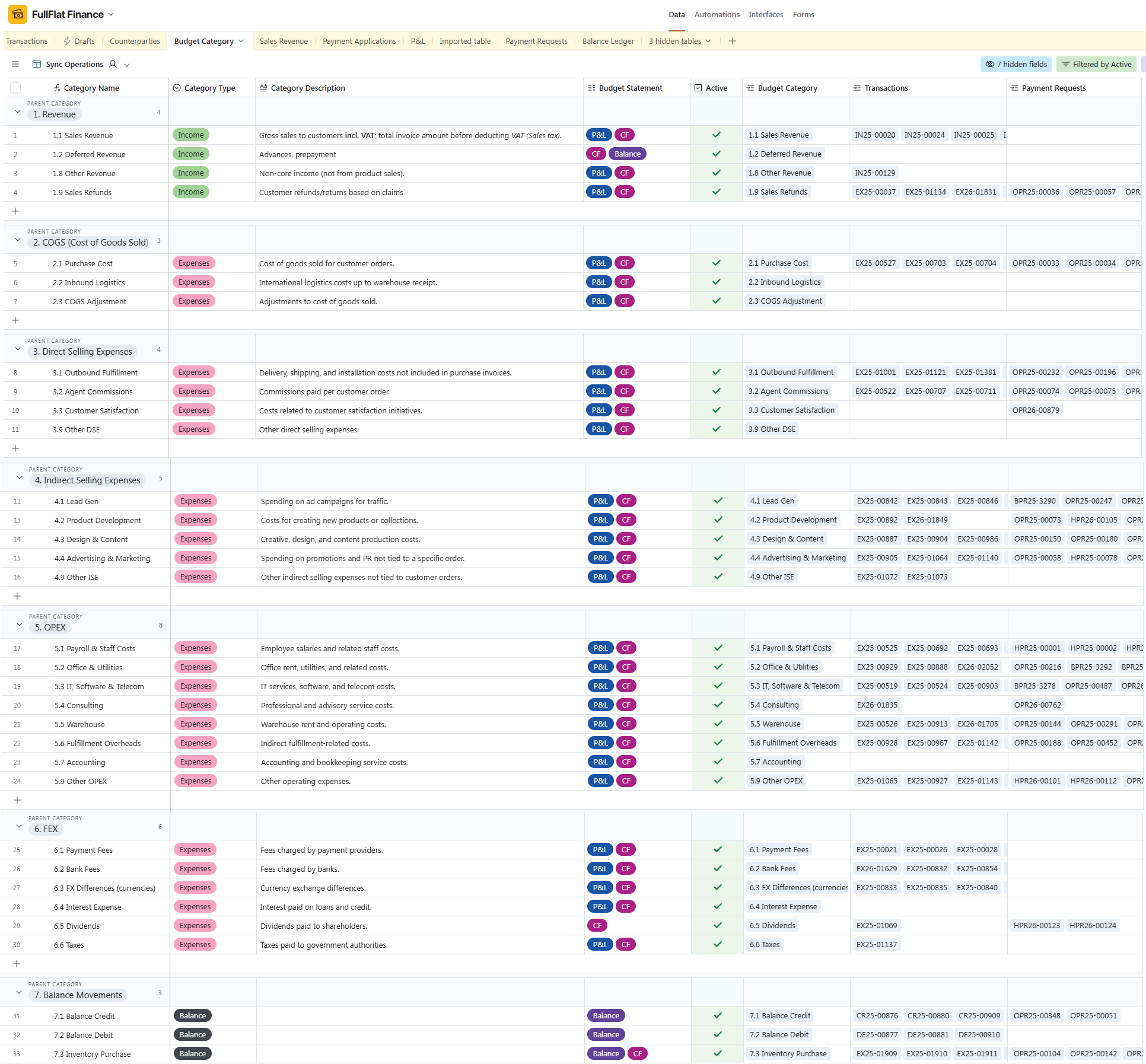
Revenue Capture
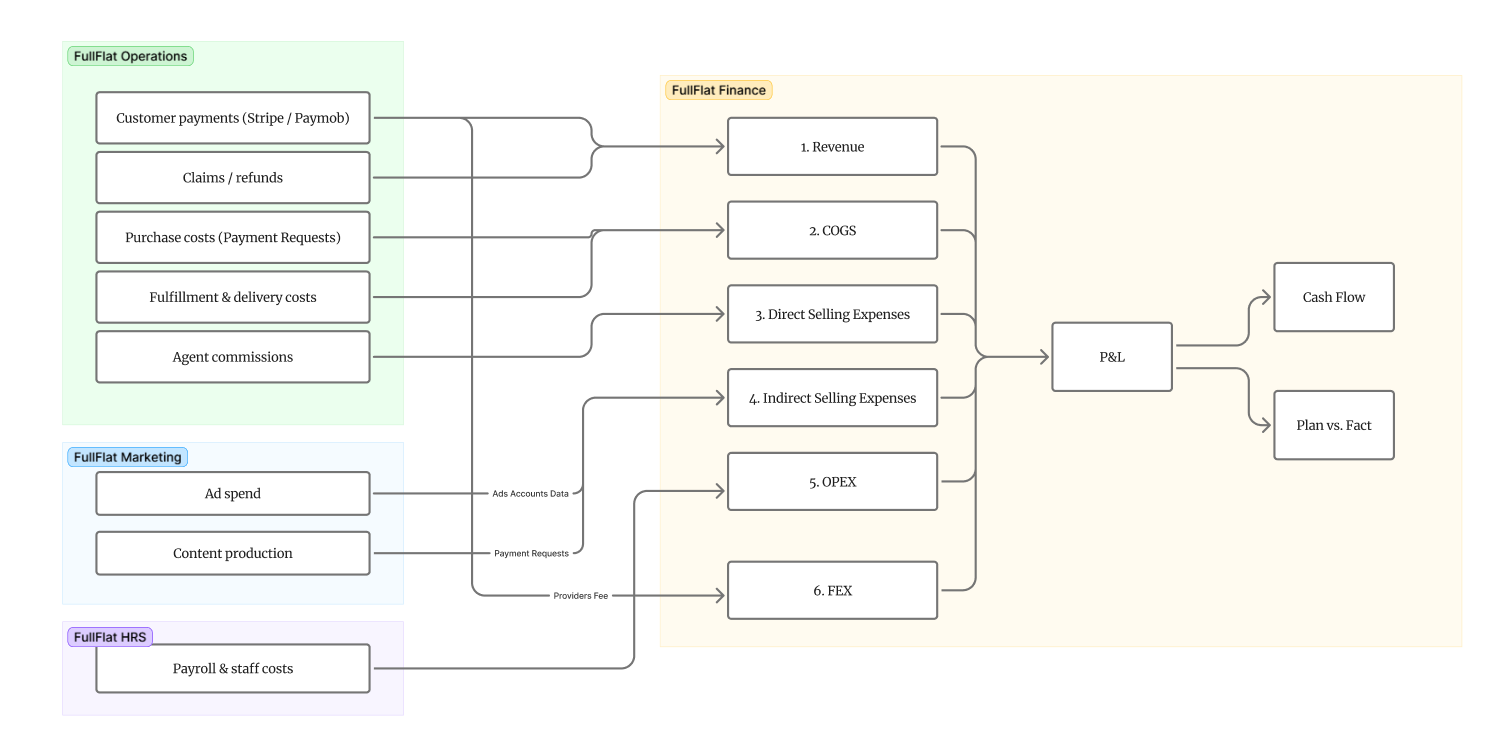
Customer payments from Stripe and Paymob are captured automatically via n8n-orchestrated webhooks and classified as Revenue. Claims and refunds are tracked separately under Sales Refunds. This eliminates any manual entry for incoming transactions — the moment a payment is processed, it appears in the financial system with full classification.
Expenses & Approval Workflow
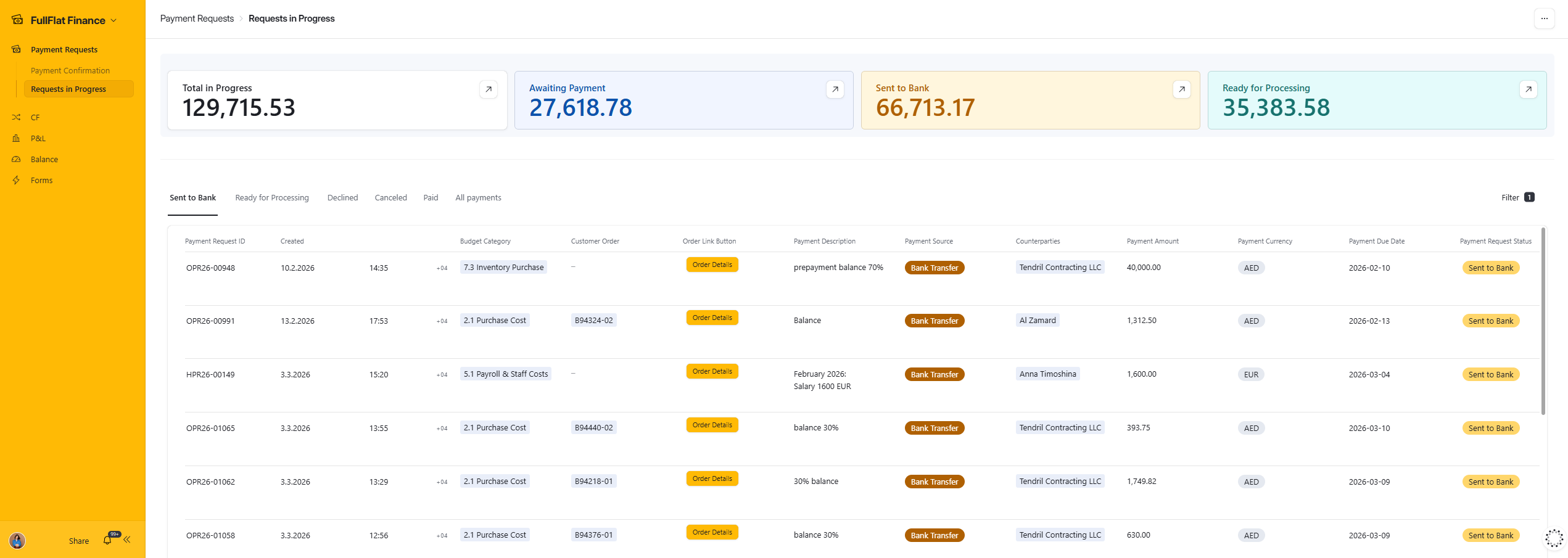
All expenses enter the system through Payment Requests — created in Operations (purchase costs, fulfillment, delivery, agent commissions), Marketing (ad spend, content production), or HRS (payroll and staff costs). Each request goes through an approval workflow before payment is executed.
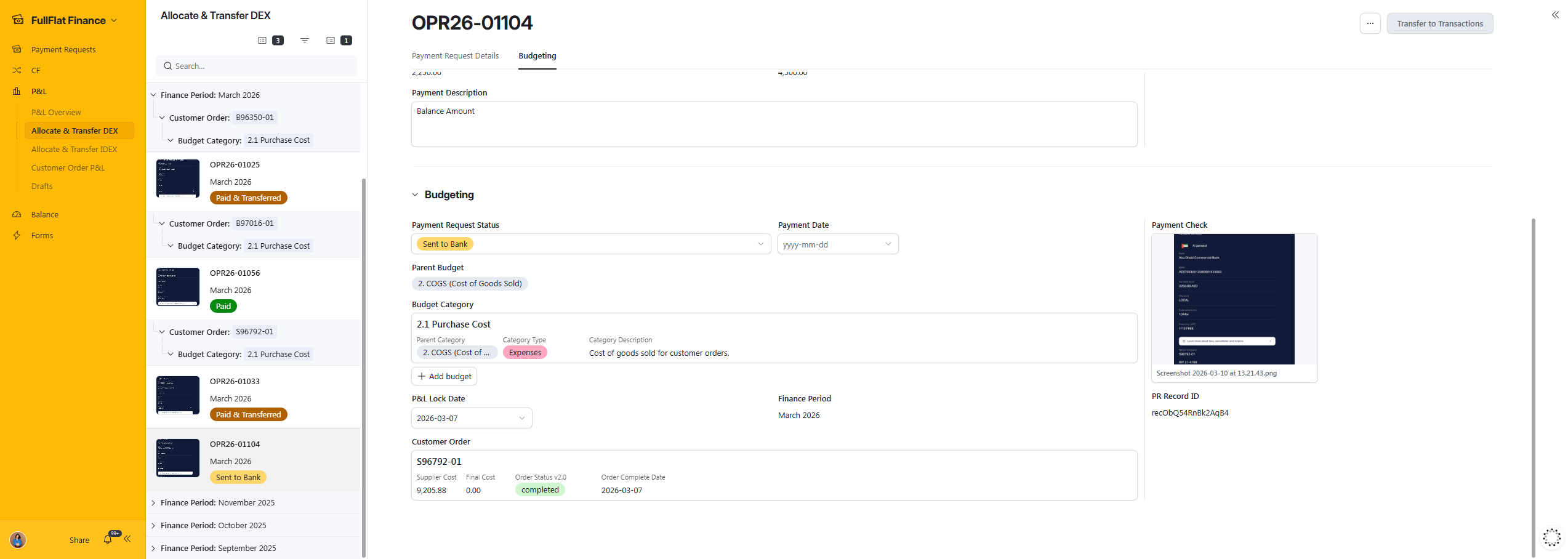
Once paid, the transaction is allocated to the appropriate budget category based on its relation to a customer order: linked to order → COGS or Direct Selling Expenses; not linked → Indirect Selling Expenses, OPEX, or Financial Expenses.
Per-Order Profitability
When a payment request is linked to a customer order, the expense is allocated directly to that order — enabling per-order profitability tracking. The system shows supplier cost, final cost, and final margin for each order. This gives management real-time visibility into which orders are profitable and which are not, enabling data-driven decisions on pricing, discounts, and package composition.