Solution
Built an AI agent as an Airtable automation running on GPT Image, generating furniture visualizations on demand—either for a single catalog item or an entire client order.
Order & Product Visualizer
This agent generates furniture layout visualizations pulling swatches from a material library linked to each product variation—shown above as an example: sofa, bed, side tables, lamp, and nightstands laid out together with their available finish options. It works two ways: on a single catalog product, to show a customer the material and color options for that item, or on a full customer order, combining every piece the customer bought into one coherent visualization with their exact selected finishes.
When triggered on an order, the agent pulls each ordered item's variation record, retrieves the linked materials from the shared material library, and composes a layout image showing the full order together—rather than customers imagining how five separately-photographed pieces might look side by side in their chosen colors. The finished visualization is sent directly to the client via email or WhatsApp, giving them a clear preview of their order before it ships.
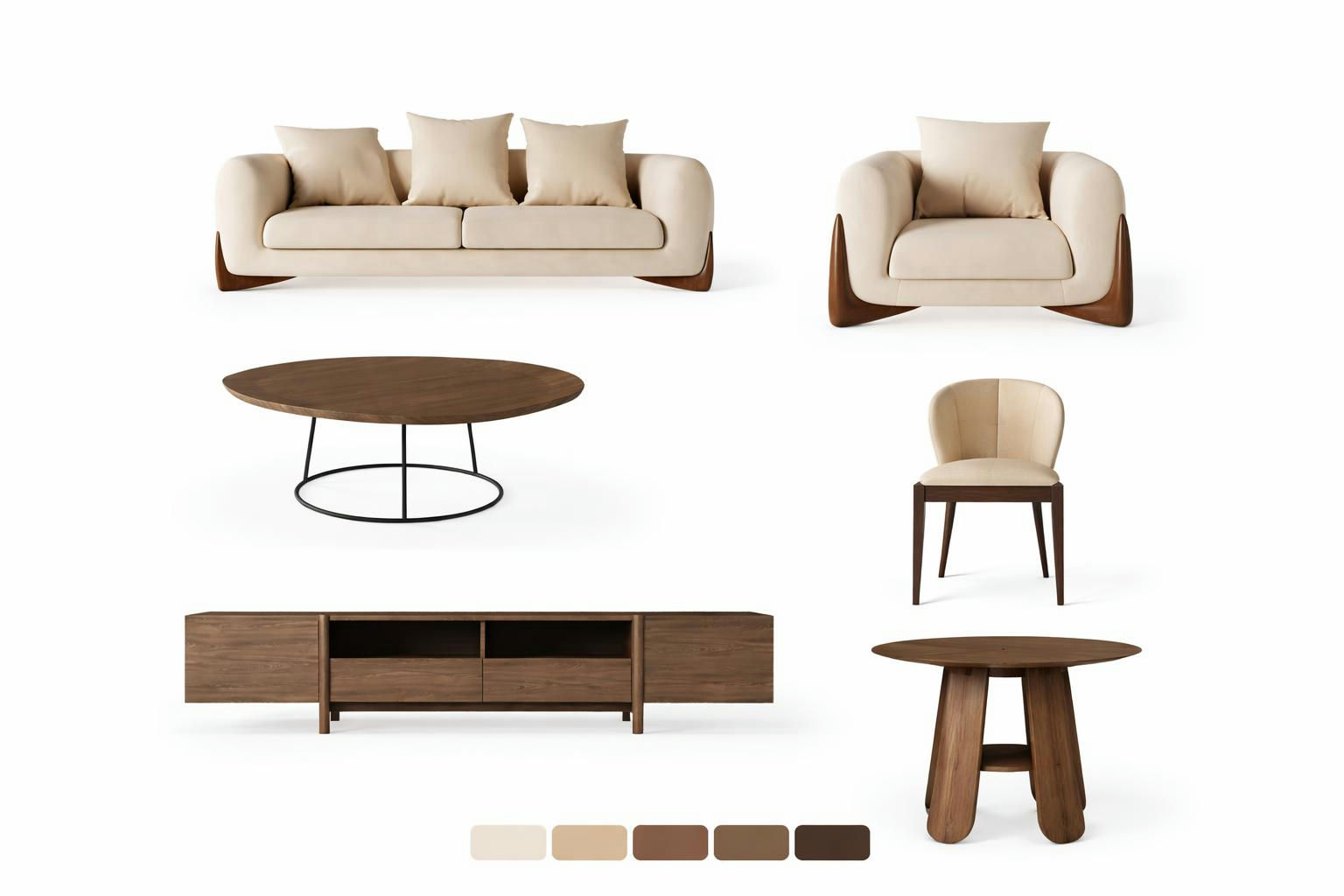
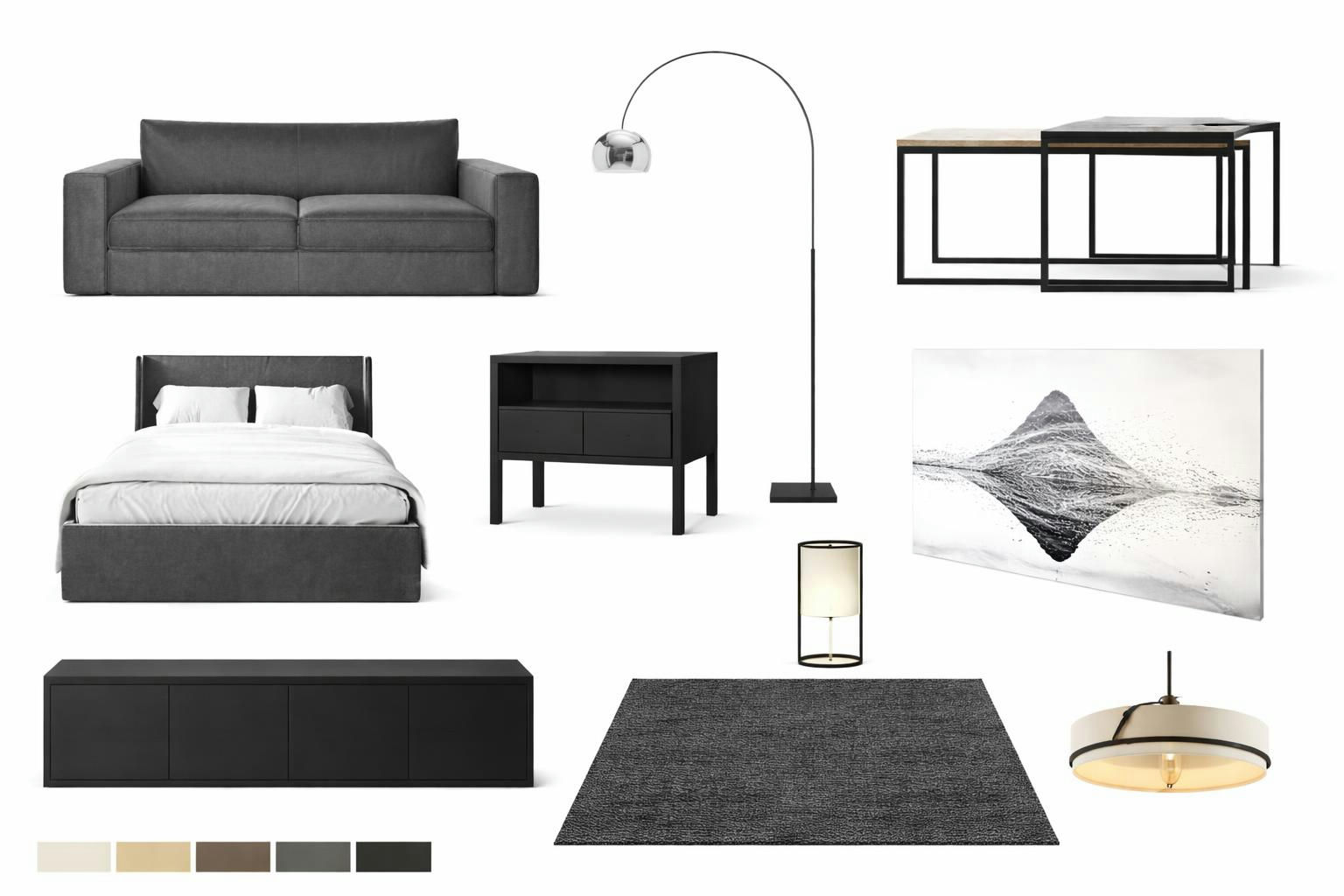
The operator also has the option to add custom products that fall outside the catalog, dropping in reference images directly. This covers the occasional off-catalog sale made at a client's request, so the visualization stays accurate even when an order includes something FullFlat doesn't normally carry.
Inside the Moodboard Editor
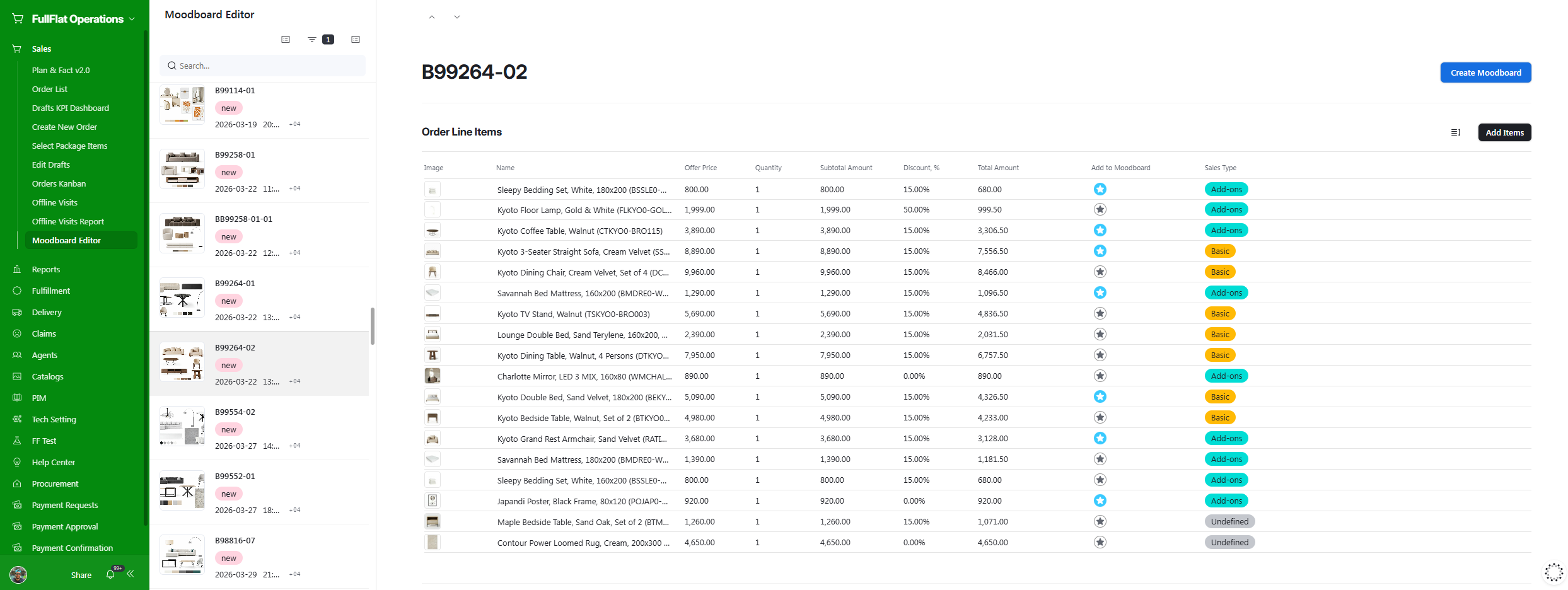
In practice, the operator works from the Order Line Items view and marks which products should go into the visualization using a star toggle in the "Add to Moodboard" column—useful for orders where only some line items (say, the Basic package) should appear in the render, while Add-ons or Undefined items are left out.
Clicking into the order's Moodboard Editor shows the selected product images pulled automatically from each item's catalog record, alongside the generated Mood Board output and its matched material swatches once the agent has run.
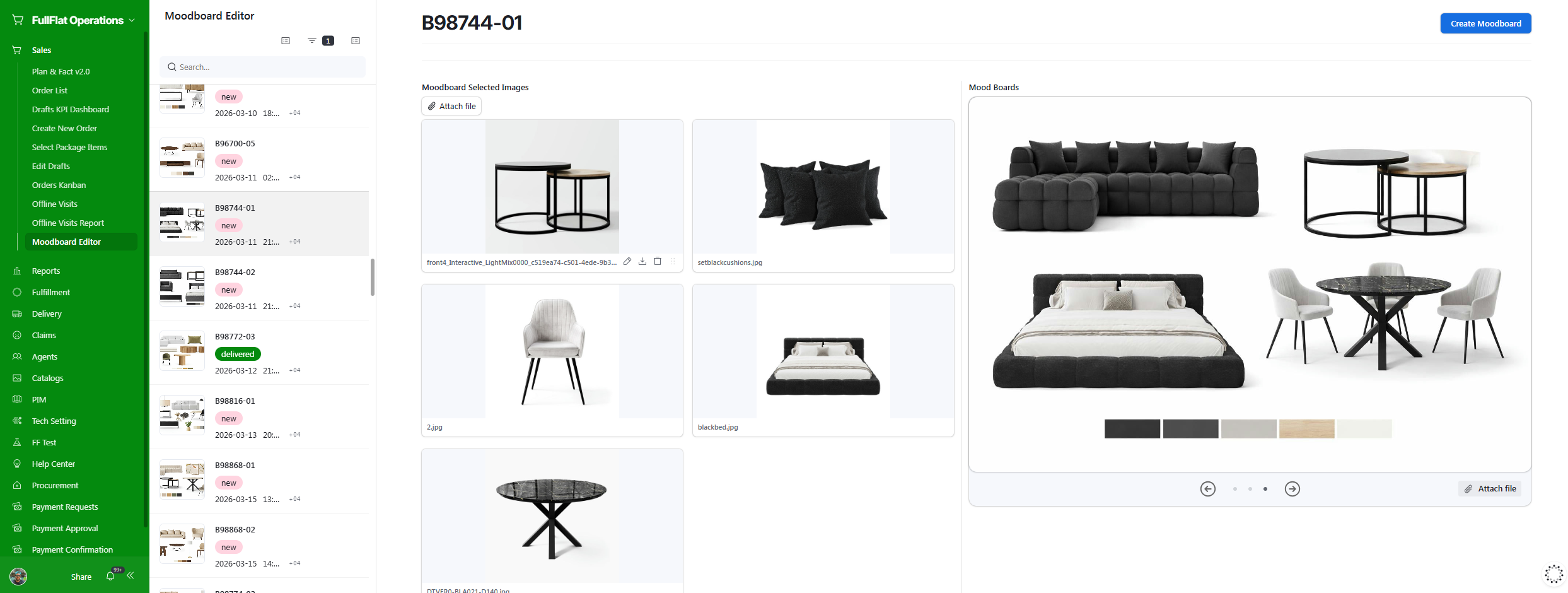
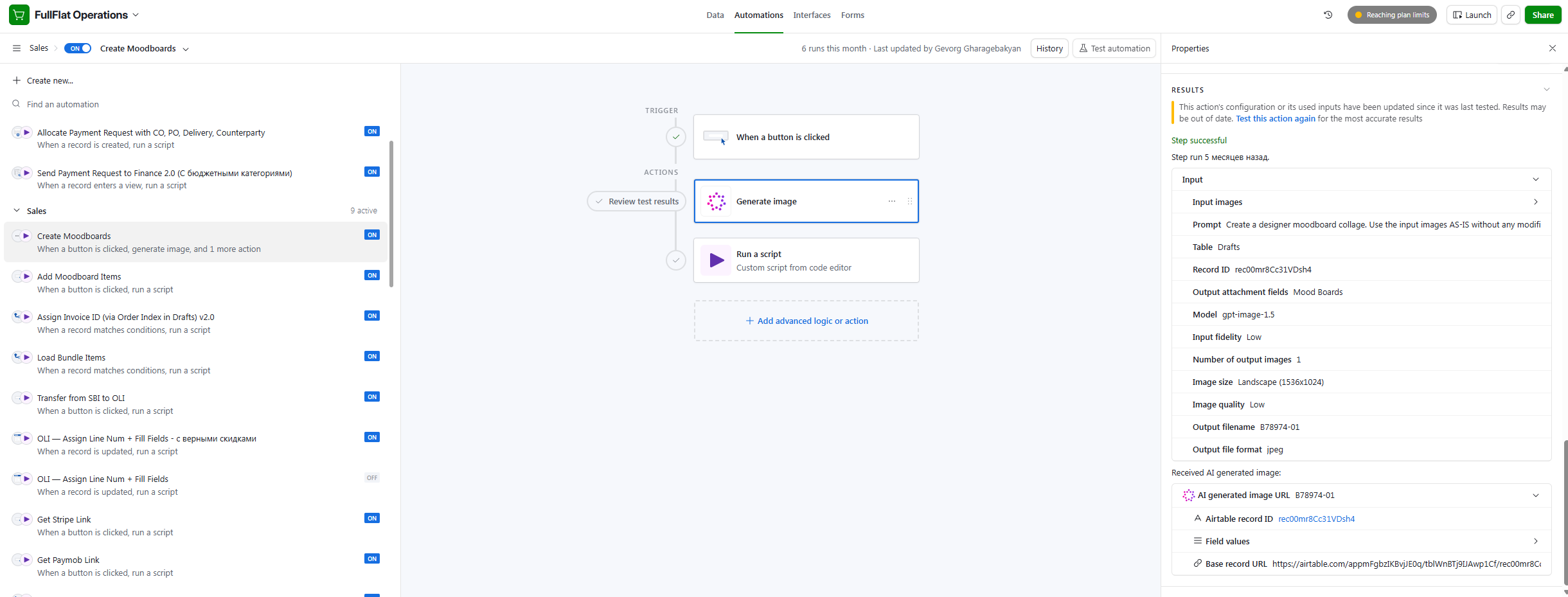
Underneath, the "Create Moodboards" automation runs on a button click: it takes the selected product images as input, sends them to an image generation model (GPT Image, low fidelity, landscape 1536x1024) with a prompt instructing it to compose a designer moodboard collage using the input images as-is without modification, then writes the result back to the record's Mood Boards attachment field via a follow-up script step.
Integration & Workflow
The agent runs as an Airtable automation inside the Order Management System, triggered on demand by a button click. No external infrastructure, no servers to manage—just Airtable's native automation coupled with GPT Image API calls. The visualizer sends its output straight to the client, closing the loop between order confirmation and delivery with a clear visual preview.