Solution
The rebuild started with the foundation the old site never had, then moved through catalog restructuring, product cards, pricing architecture, content, and editability.
Design System & CSS Foundation
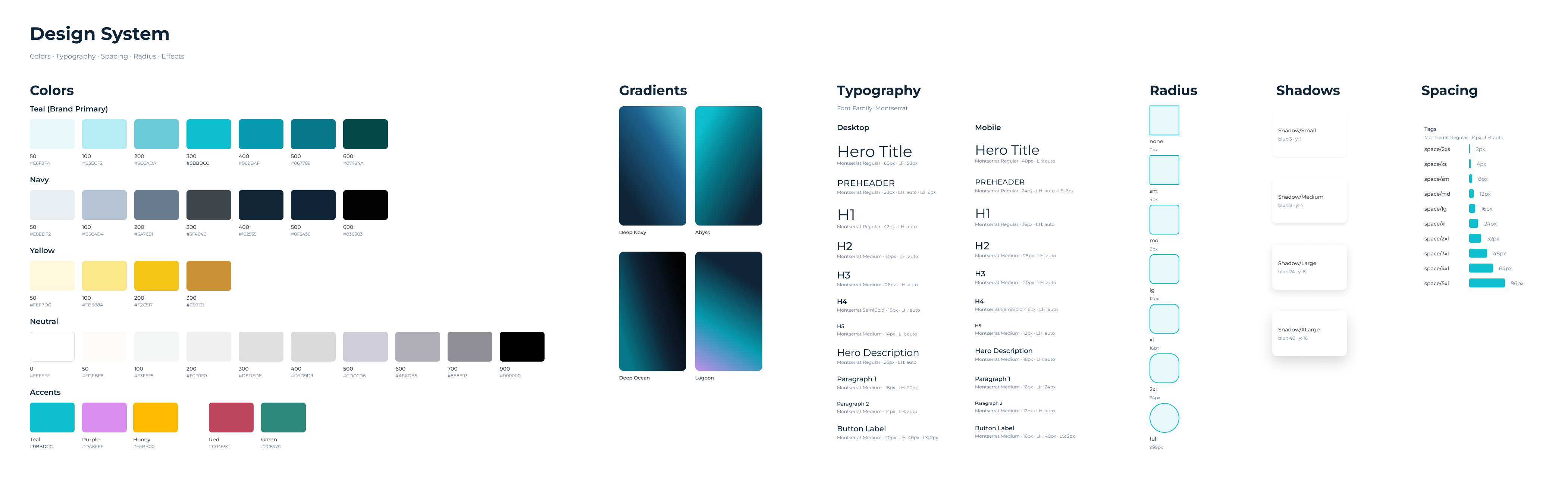
The old storefront had no design system: every button used different styling, fonts varied inconsistently across pages, and there was no shared set of components to build from. A design system was built in Figma and implemented as CSS custom properties for color, typography, and spacing, so every component inherits from the same tokens instead of being styled one-off. That foundation is what made it possible for the client's own team to later extend the site without breaking consistency.
Catalog Restructuring
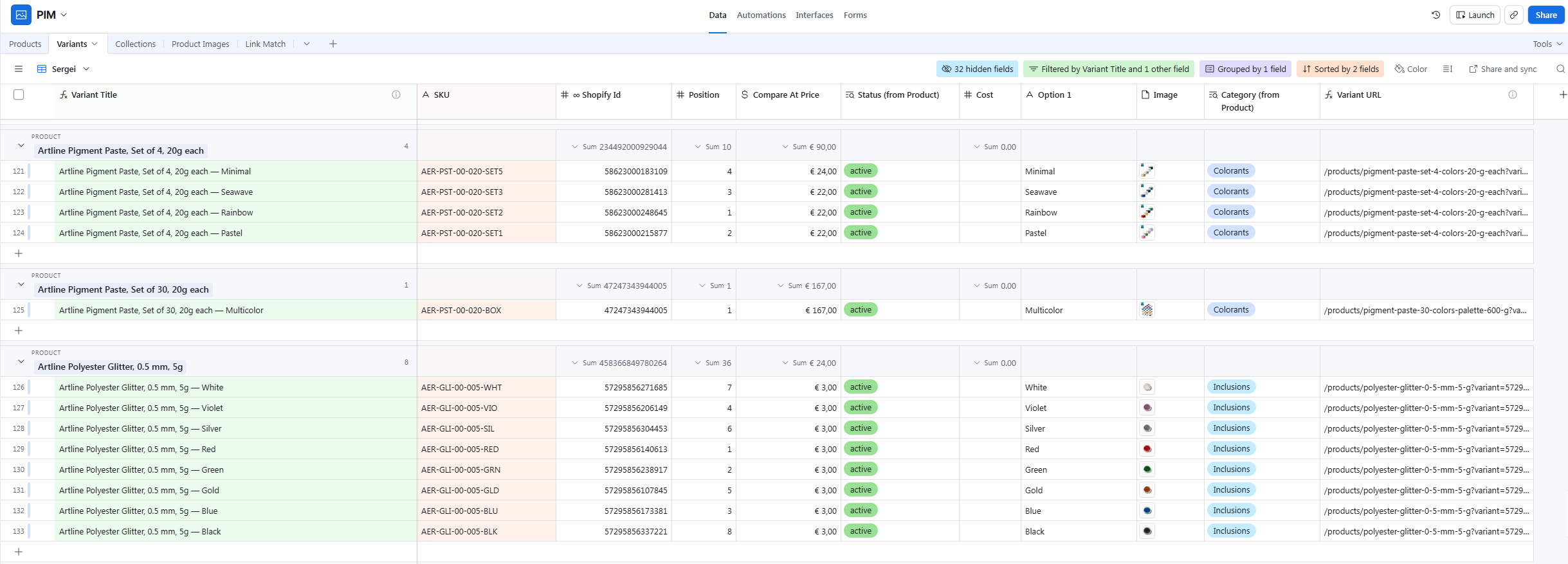
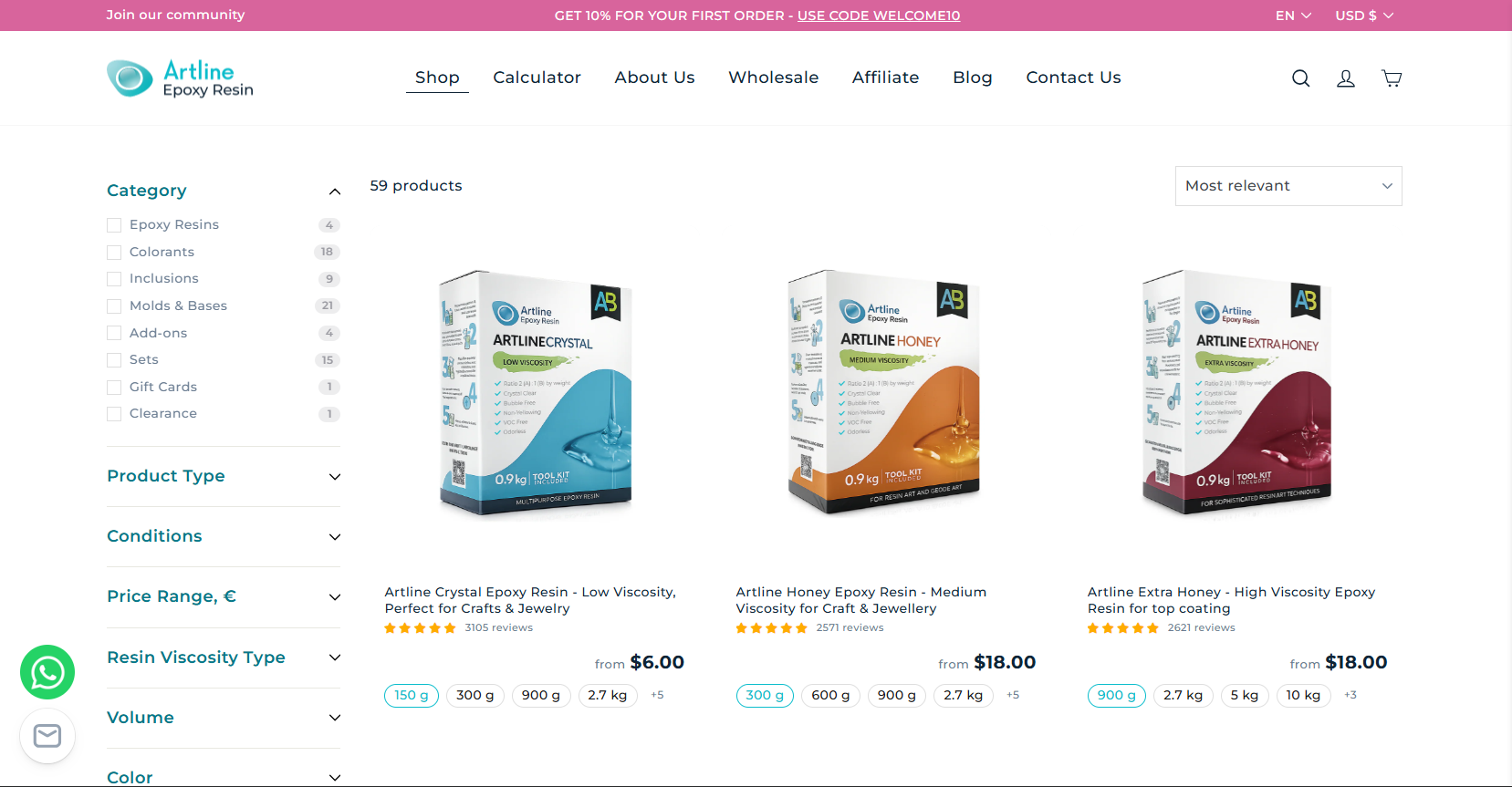
The old catalog listed every color and size as a separate standalone product: 276 SKUs with no shared variant structure, no way to filter by color or size, and inventory tracked separately for what should have been one product. Editing that by hand in Shopify wasn't realistic at that scale, so the full catalog was exported into Airtable via Airpower, flat listings were consolidated into proper product-variant groups with missing attributes filled in, and the restructured catalog was synced back to Shopify with a filterable catalog by category, type, price, viscosity, volume, and color.
Resin Volume Calculator
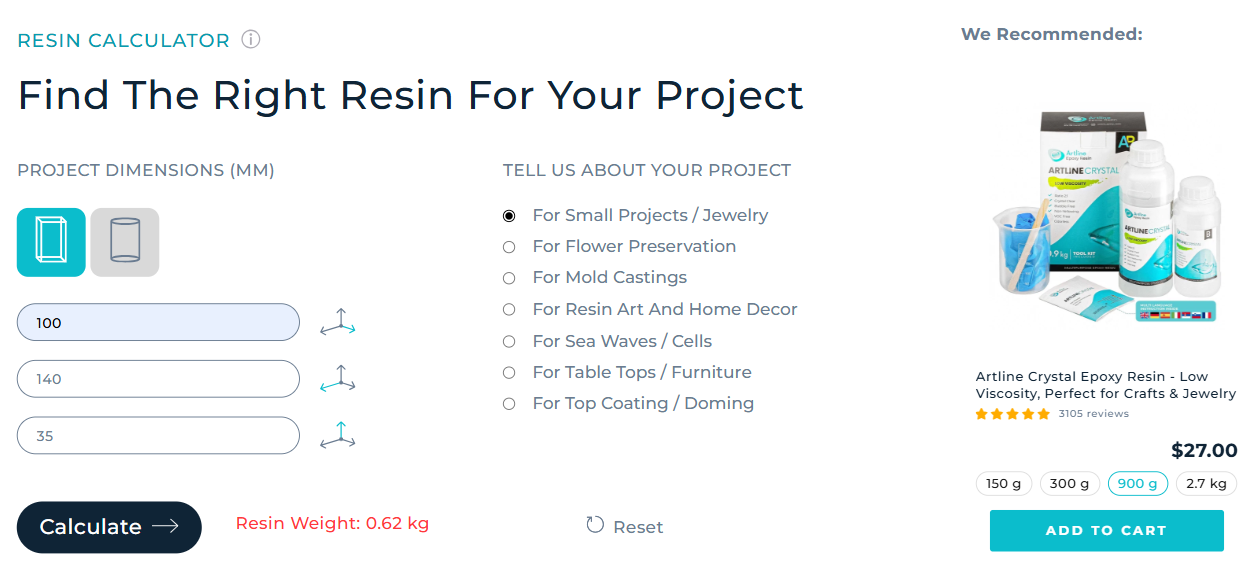
Choosing the right amount of resin is a common source of hesitation on a product where getting the quantity wrong means wasted material or an unfinished project, especially for beginners who don't yet have an intuition for how much they need. The calculator takes the project shape (rectangular or cylindrical), dimensions in millimeters, and project type, then calculates the required resin weight with a rounding-up formula so customers always order enough. The result links directly to a recommended product, helping bring newer, less experienced customers into the category with confidence.
Product Card Types
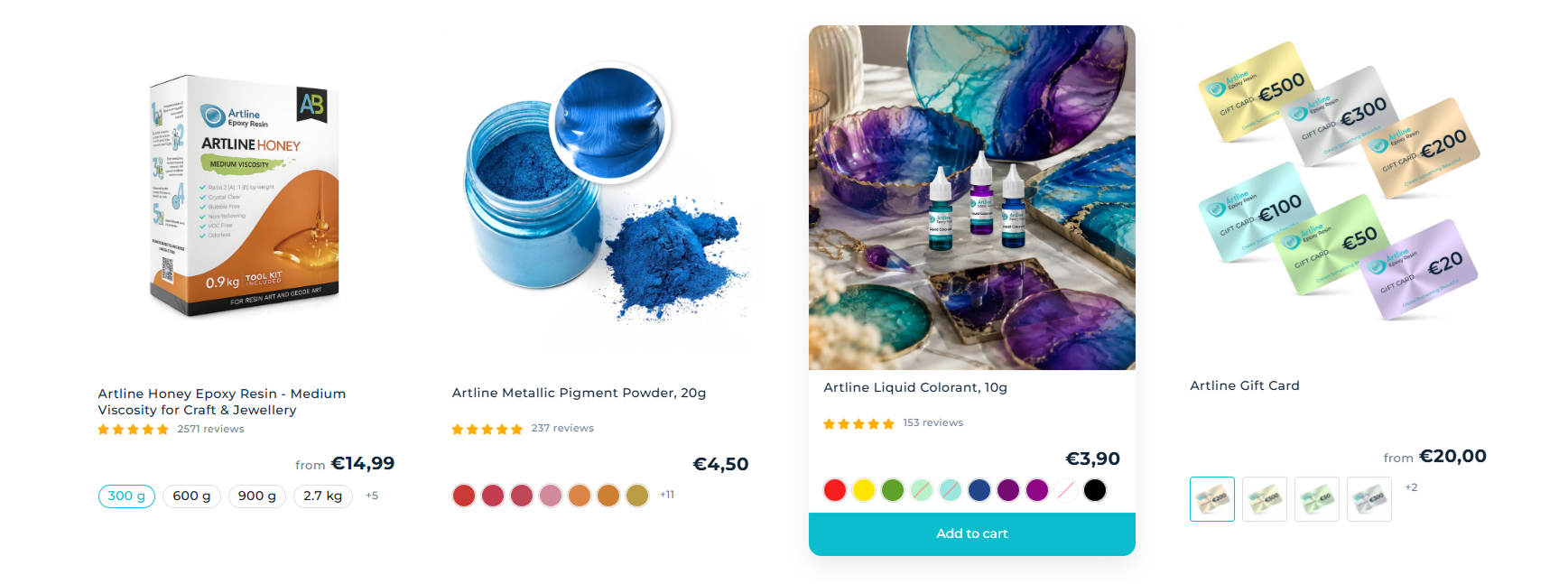
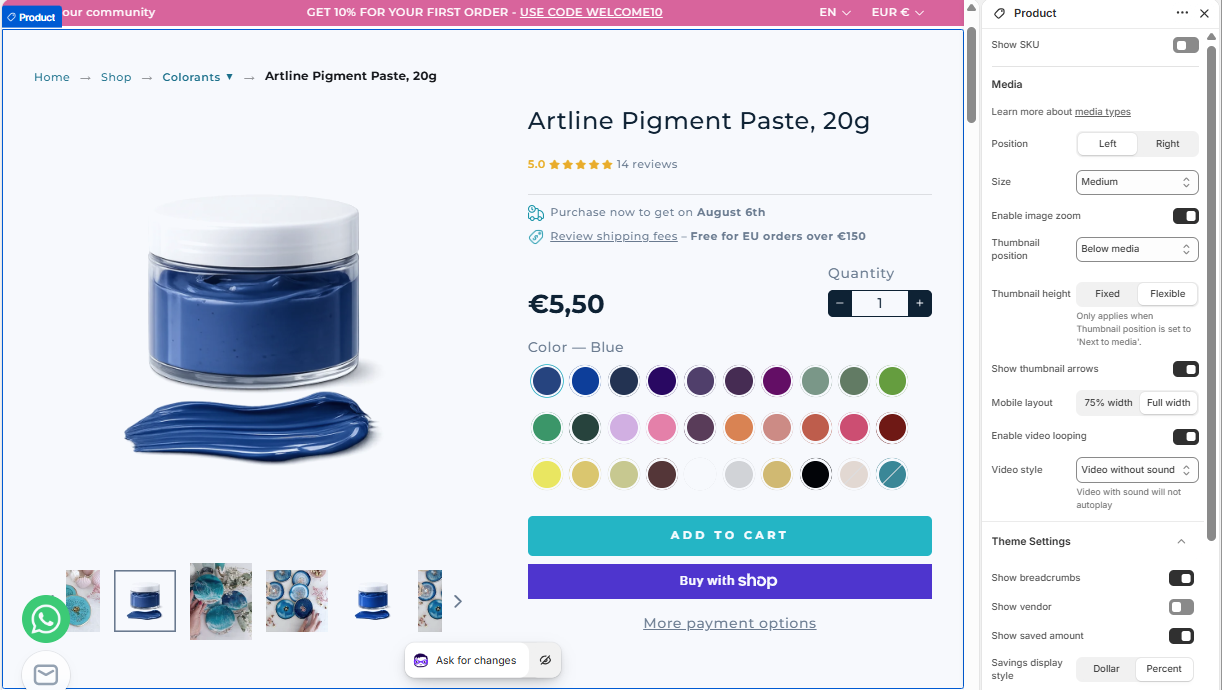
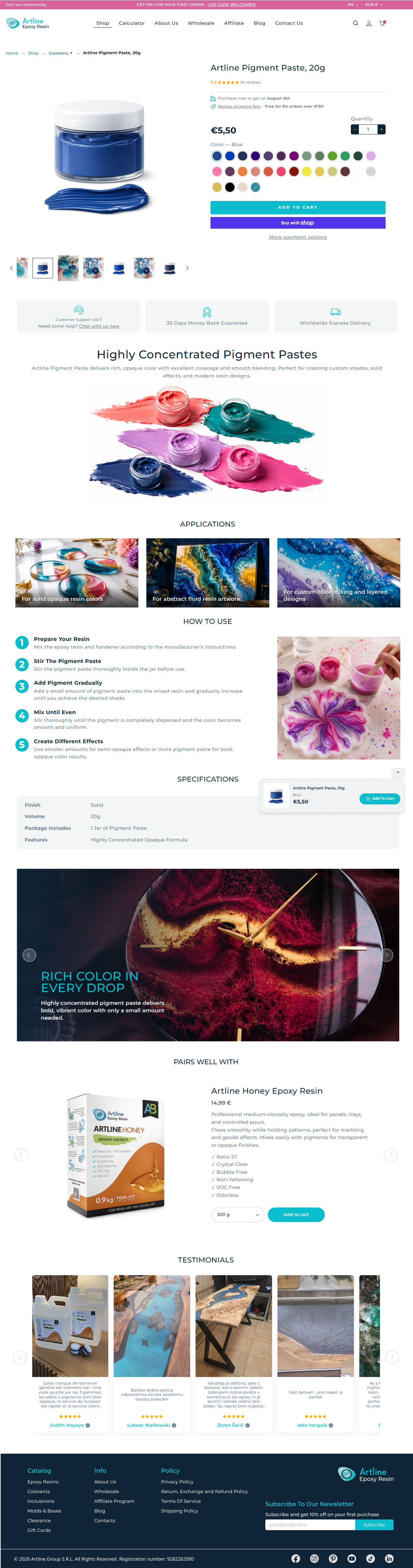
Product cards needed to represent different kinds of product choices: some vary by color, others by physical form, others carry no meaningful visual variant. Three card templates — pill selectors, color swatches, and image-based variants — let each product type use the selection UI that matches how a customer actually chooses it. Each template is fully responsive across desktop, tablet, and mobile. Customers can also add a product to cart directly from the catalog grid, selecting a variant and adding it without opening the product page. On product pages, a floating panel with the selected variant follows the customer as they scroll through the longer product content, so they can add to cart at any point without scrolling back up.
Rich Content
Product pages are built from modular rich-content blocks: an applications gallery showing real use cases, step-by-step usage instructions, a specifications table, a themed banner section, and cross-sell pairings with a linked product. Each block is its own metaobject type, so content is entered once and can be assembled in any combination per product without a developer touching code. The structure mirrors Amazon A+ content on purpose: the same product story needed to run on both the Shopify storefront and the brand's Amazon listings, so building it in Amazon's block format meant content only had to be written once.
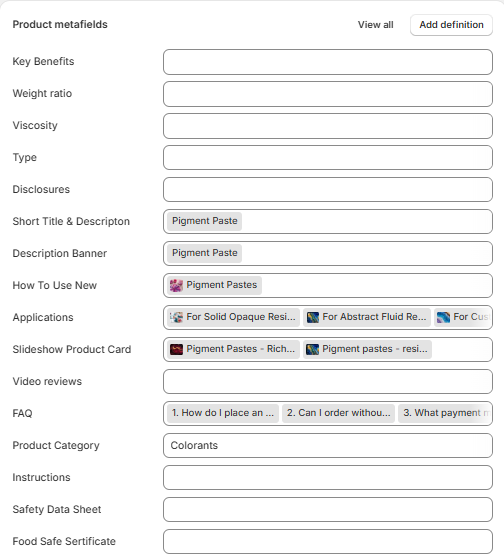
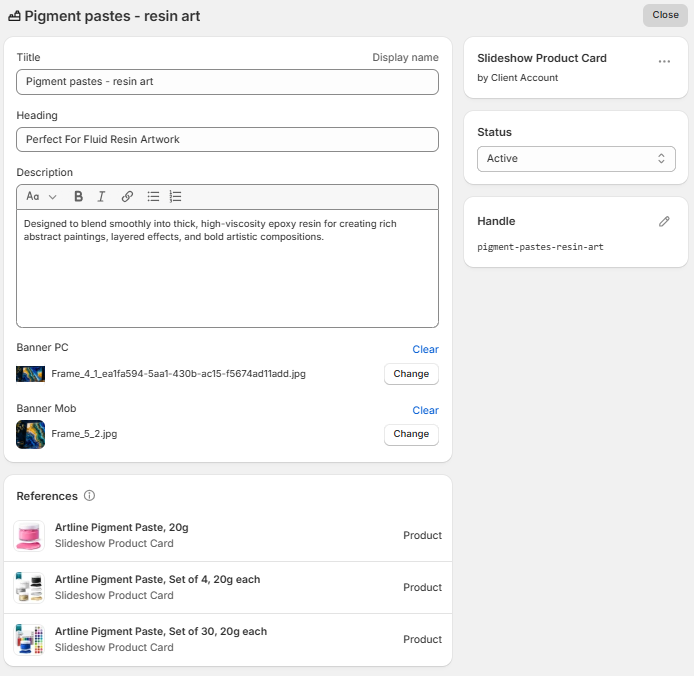
Each rich-content block, like a slideshow product card, is a single metaobject entry with its own title, heading, description, and desktop/mobile banner images. That entry is then referenced by every product that uses it, so updating one field updates it everywhere it's linked instead of requiring an edit per product. The References panel on each entry shows exactly which products are pulling from it, making it easy to see the reach of a single piece of content before changing it.
Newsletter Signup & Discount Automation
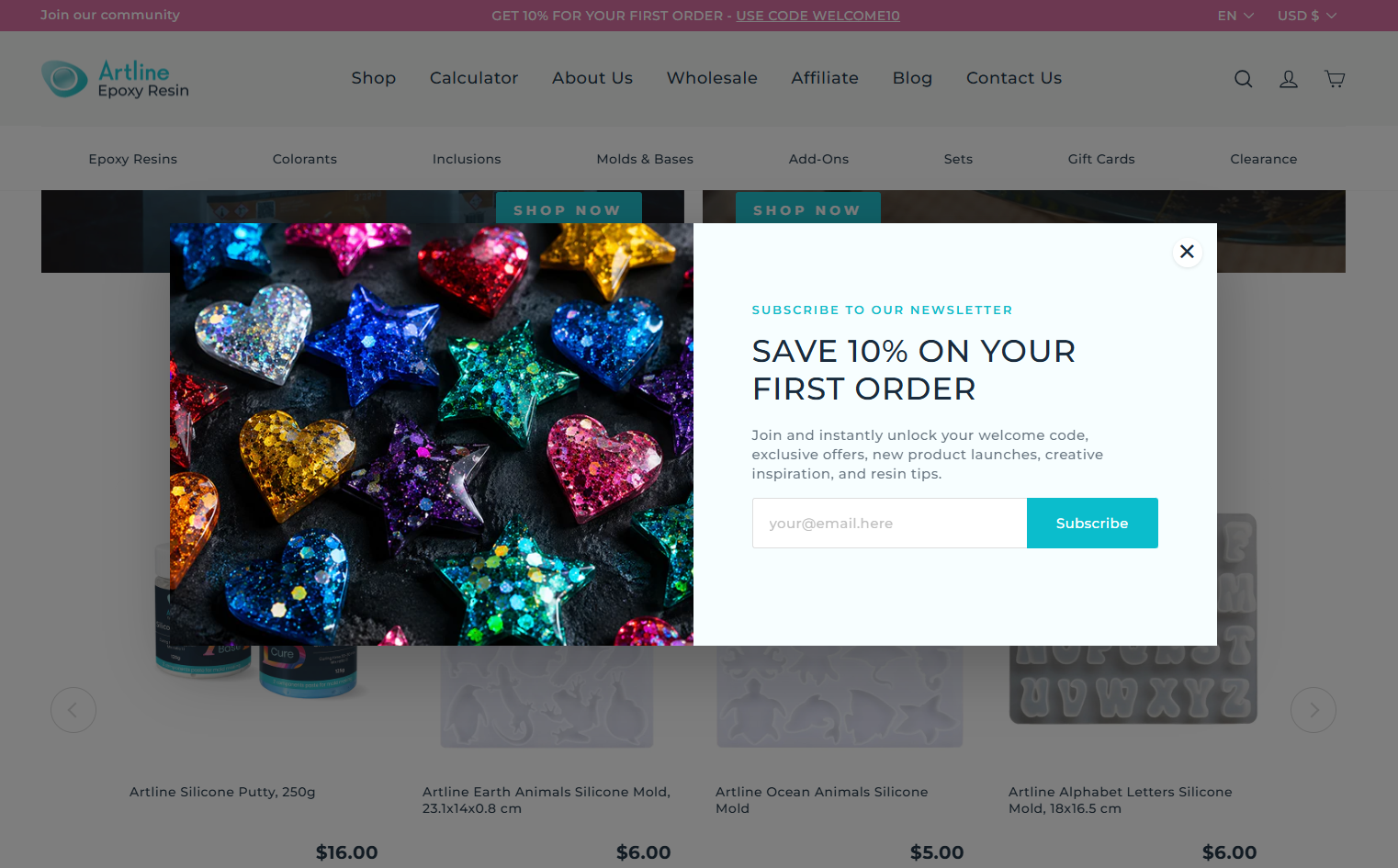
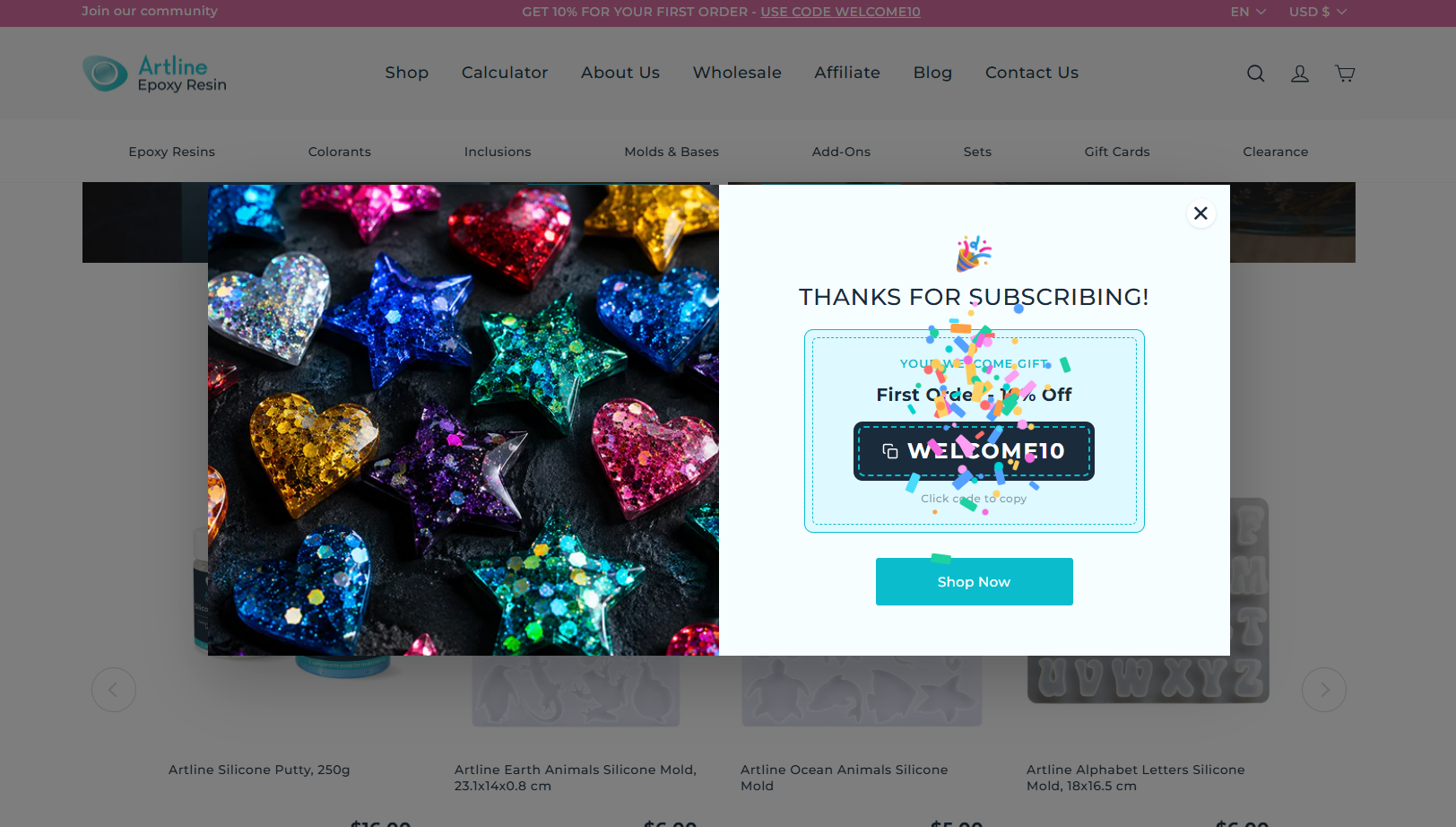
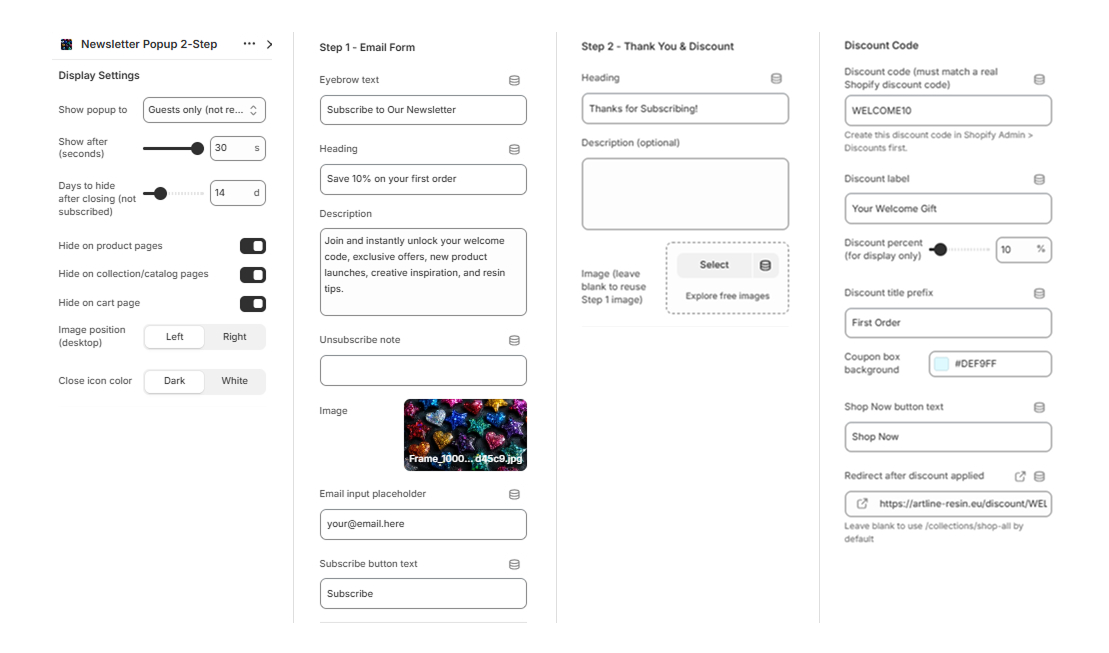
The popup replaces a third-party subscription app with a custom two-step section built directly into the theme. Step one asks for the customer's email in exchange for a discount, framed around a specific offer rather than a generic "join our newsletter" ask, which keeps the value exchange clear. Once submitted, step two confirms the subscription and reveals a real, working discount code that copies to the clipboard on click, so the customer can move straight to checkout without hunting for the code in their inbox.
Every part of the popup is configurable through the theme editor without touching code: who sees it (guests only, so subscribers aren't shown it again), how long to wait before it appears, how many days to stay hidden after a visitor closes it without subscribing, and which page types it's suppressed on (product, collection, and cart pages, where an interruption would compete with the purchase decision). The discount code itself is tied to a real Shopify discount, so what the popup promises is always what checkout actually applies.
Custom WhatsApp Chat Widget & CRM Sync
A custom WhatsApp widget replaces the default chat entry point with a two-step flow: visitors start with a message, then provide name, email, and phone before the conversation opens in WhatsApp.
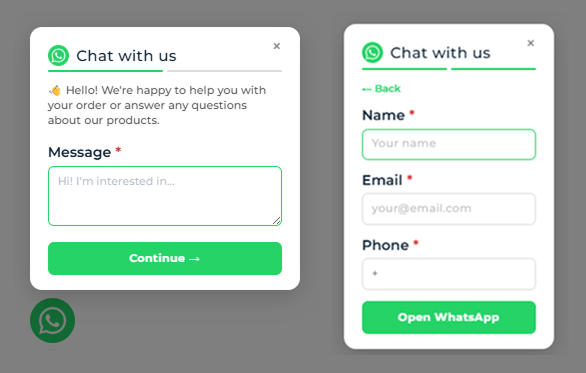
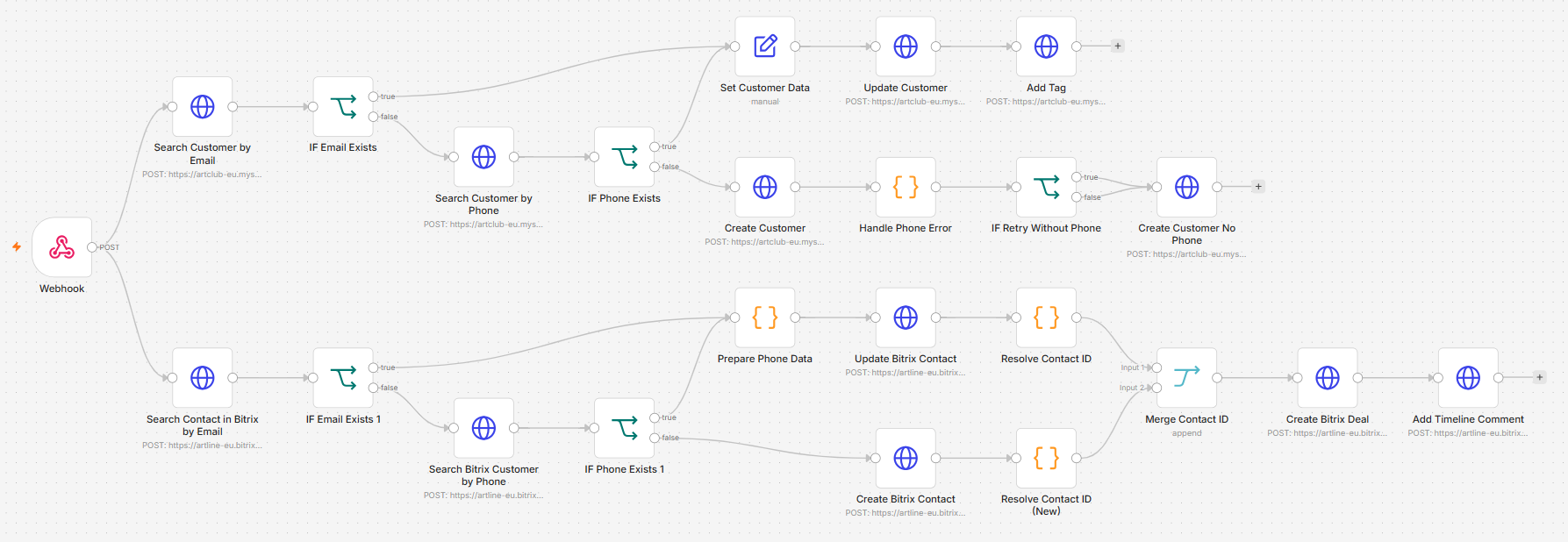
That submission triggers an n8n workflow that keeps the customer synced in both directions: it searches for an existing customer by email and phone in Shopify, creating one if none exists, then does the same lookup in Bitrix24, creating or updating the CRM contact and merging both records to a single resolved contact ID. A deal is created in Bitrix24 and linked back to that contact, with a timeline comment logging where the lead came from, so every WhatsApp inquiry lands in the CRM as a trackable lead instead of a message that only lives in someone's phone.