Solution
The system covers five core processes: Order Intake & Sales Pipeline, Fulfillment & Procurement, Delivery & On-site Supervision, Claims Management, and Reporting & Plan vs. Fact.

Order Intake & Sales Pipeline
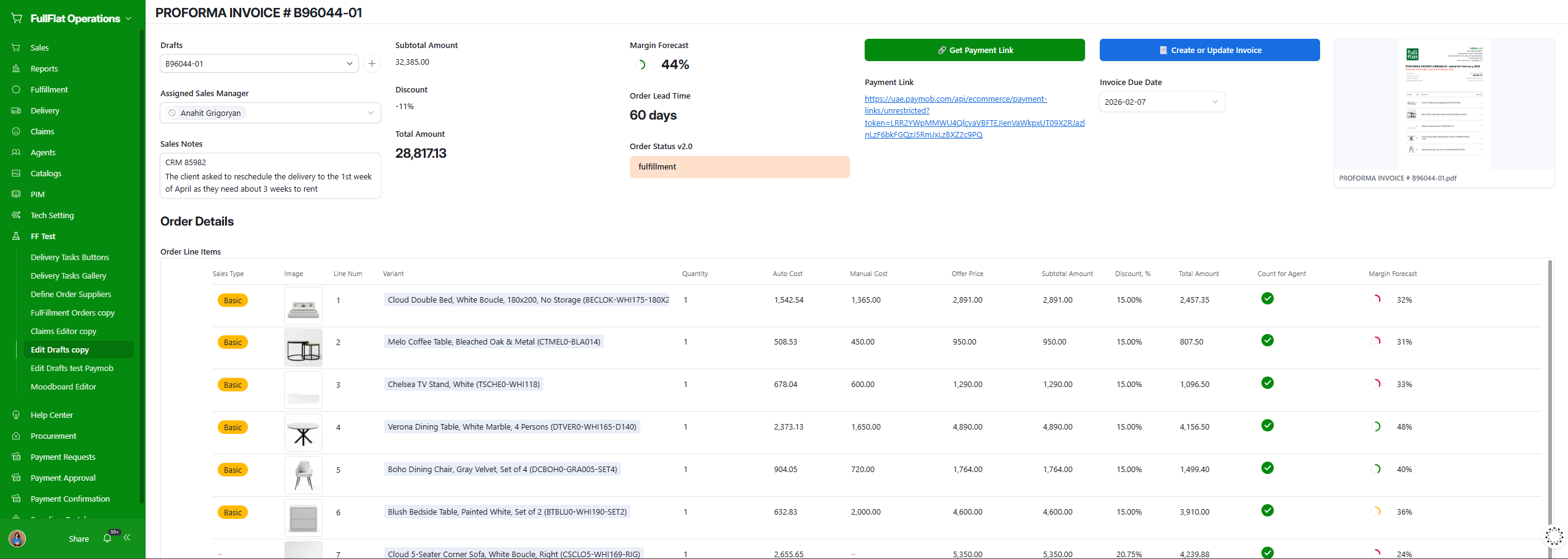
Orders enter the system from two channels: the Shopify storefront and WhatsApp consultations. Shopify orders sync automatically to FullFlat Operations via Airpower. WhatsApp inquiries — typical for high-ticket and customized furniture orders — are handled by sales managers directly in the system. The manager selects products, auto-calculates margin and cost, generates a proforma invoice with a payment link, and creates a visual moodboard from PIM product images to send to the client for approval.

Fulfillment & Procurement
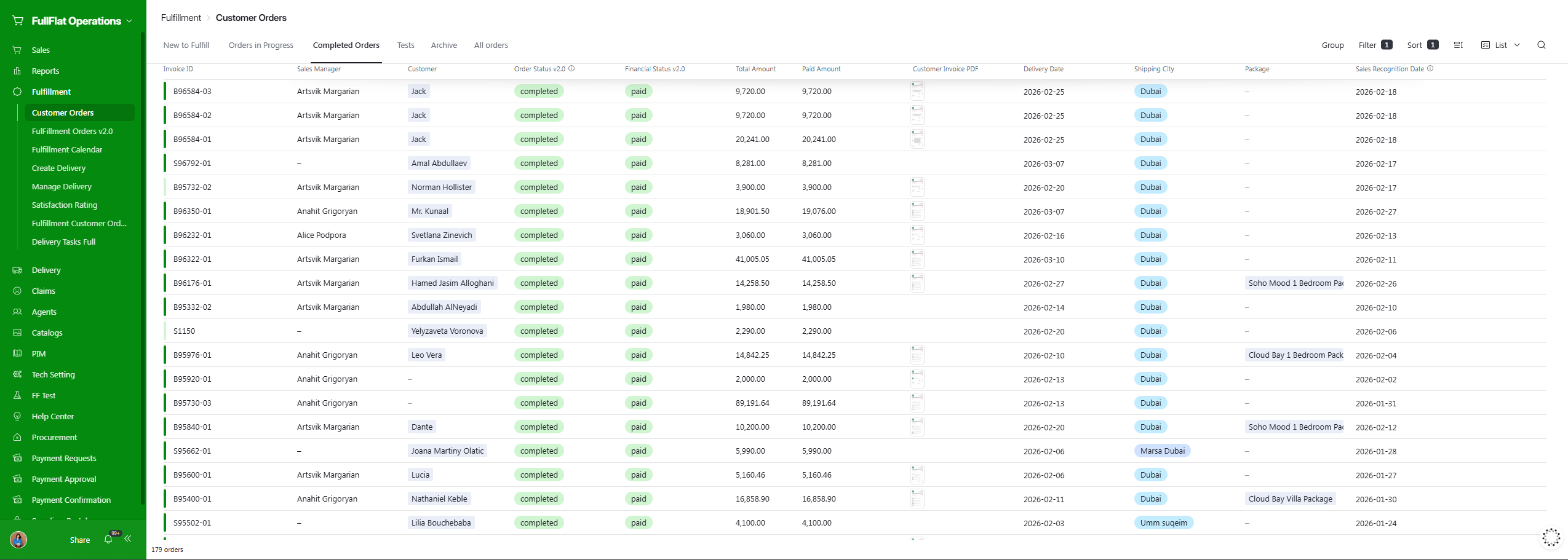
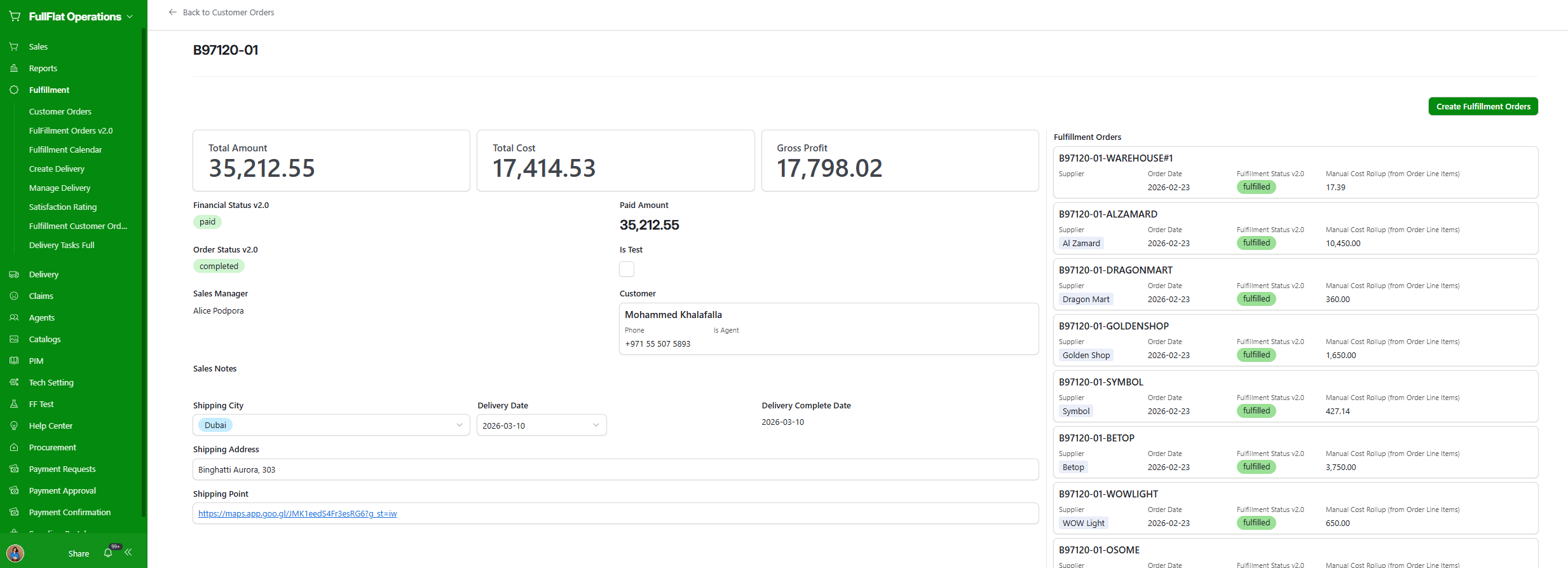
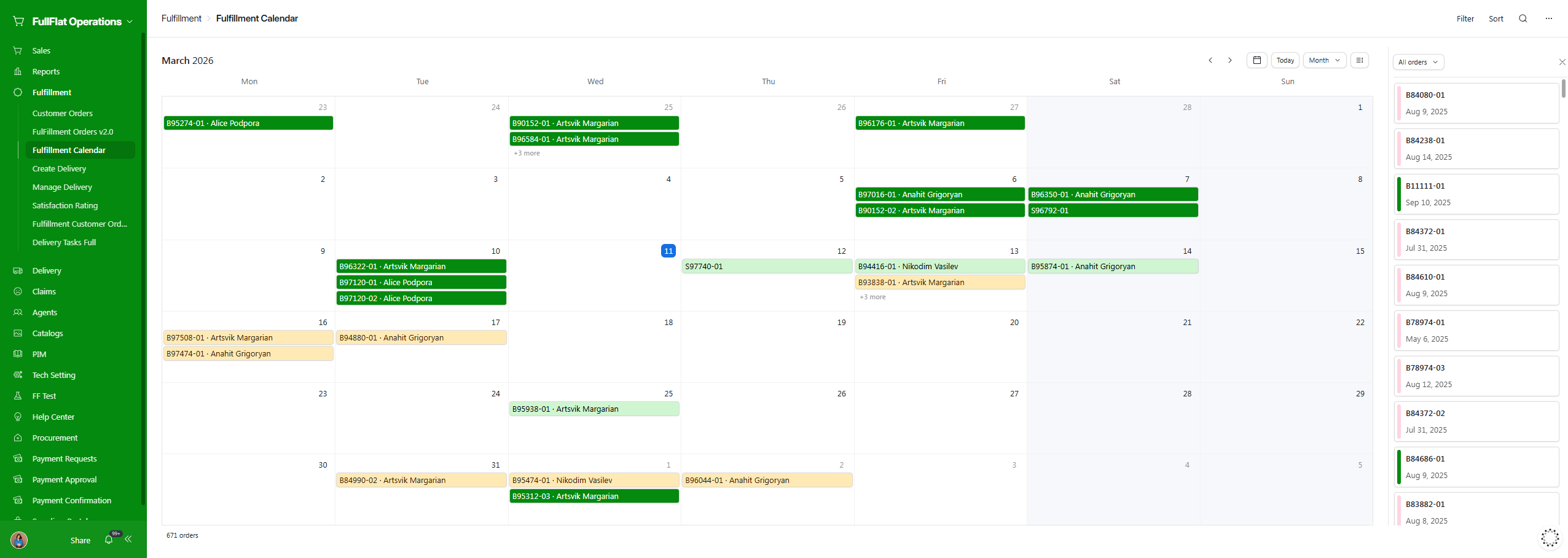
Once payment is confirmed, orders split automatically into separate Fulfillment Orders — one per supplier — each with its own cost, status, and timeline. The Fulfillment Calendar gives the team a visual view of every order in progress, enabling cost and delivery-time optimization per item.
Delivery & On-site Supervision
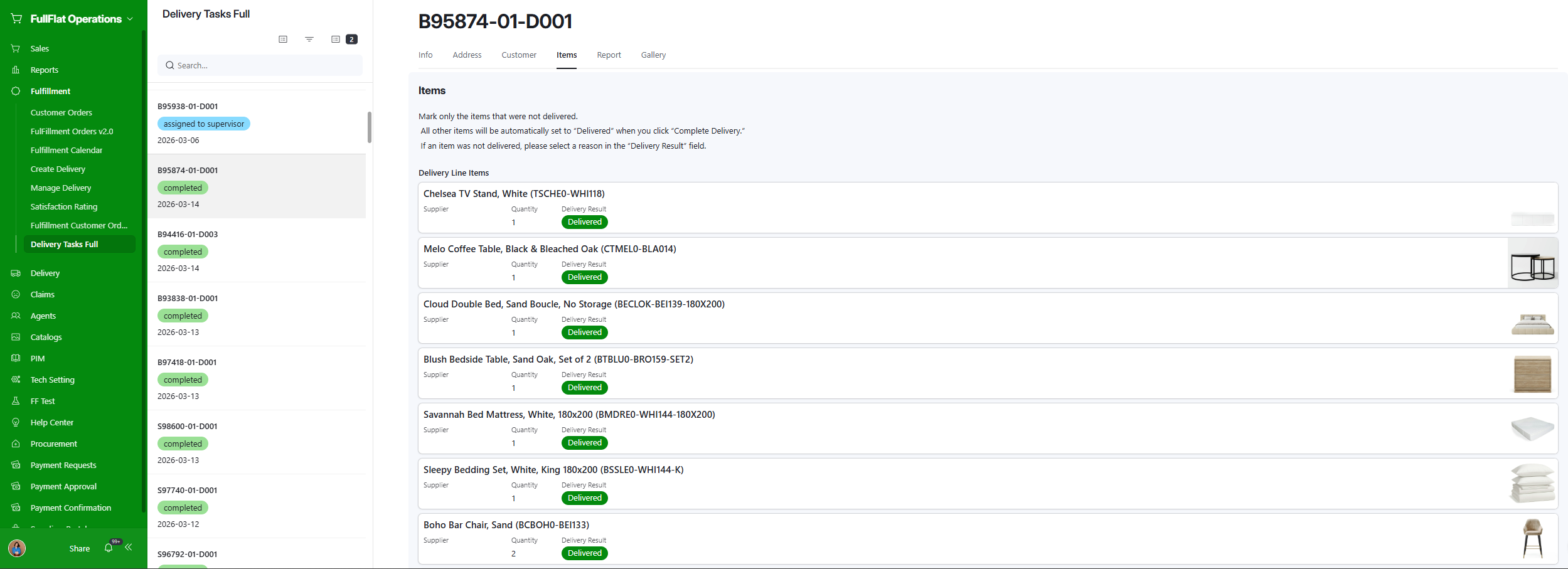
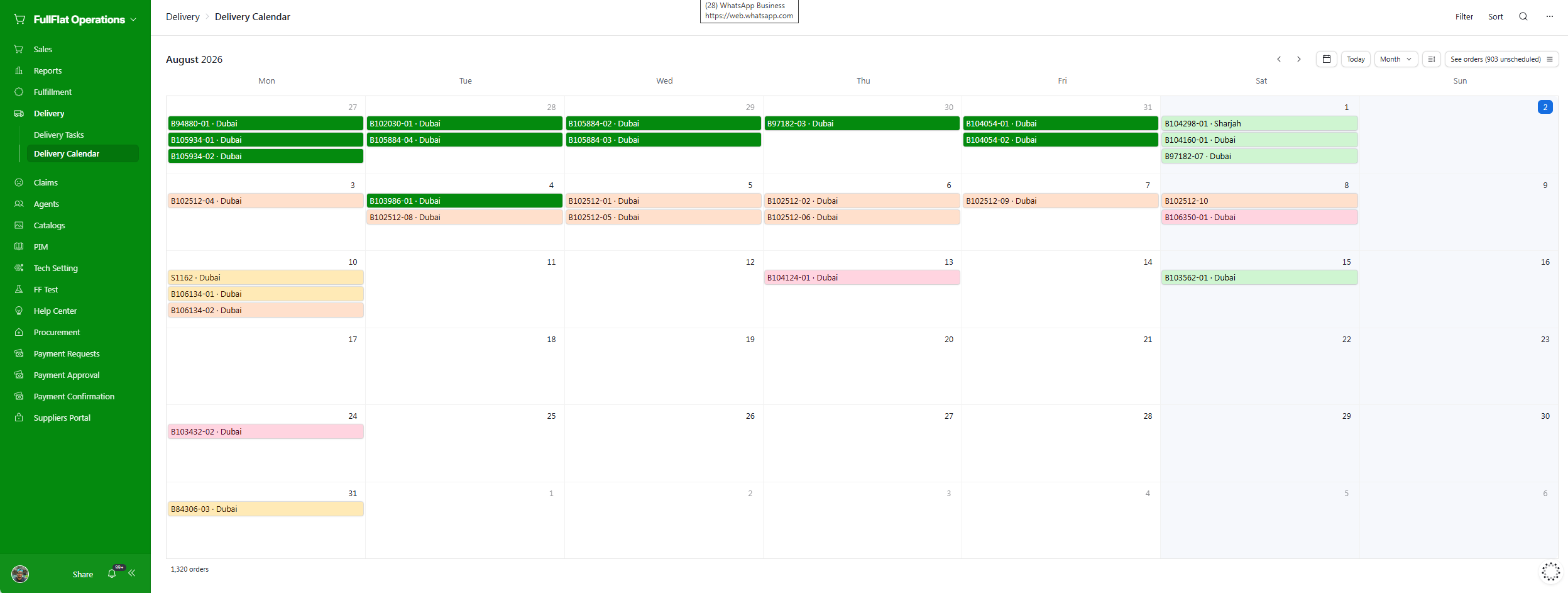
When goods are ready, the system consolidates items from multiple suppliers into a delivery. An on-site supervisor receives a Delivery Task with a full list of items. During delivery and furniture assembly, the supervisor marks each item as delivered or not delivered with a reason — directly from the Airtable mobile app. A photo report is uploaded on-site. After delivery is complete, the system collects a customer satisfaction rating (CSAT). Delivery photo reports are used to generate customer reviews through FullFlat Reviews.
Claims Management
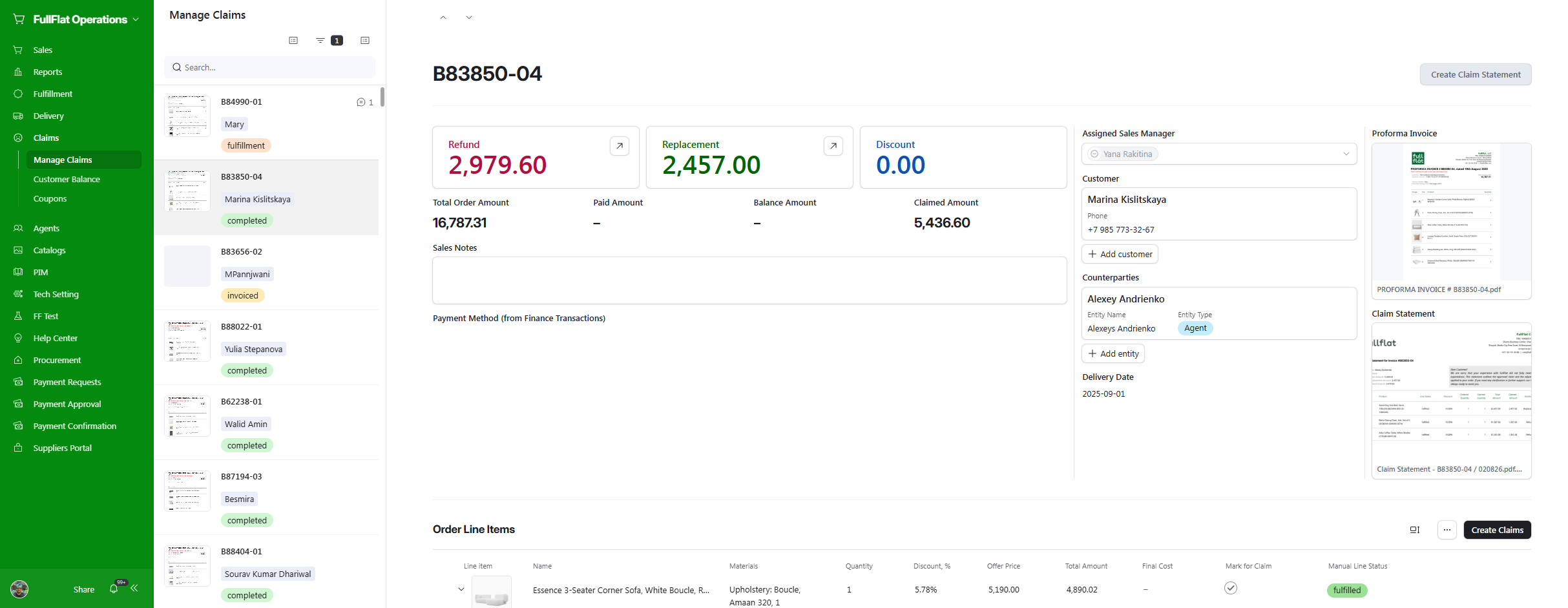
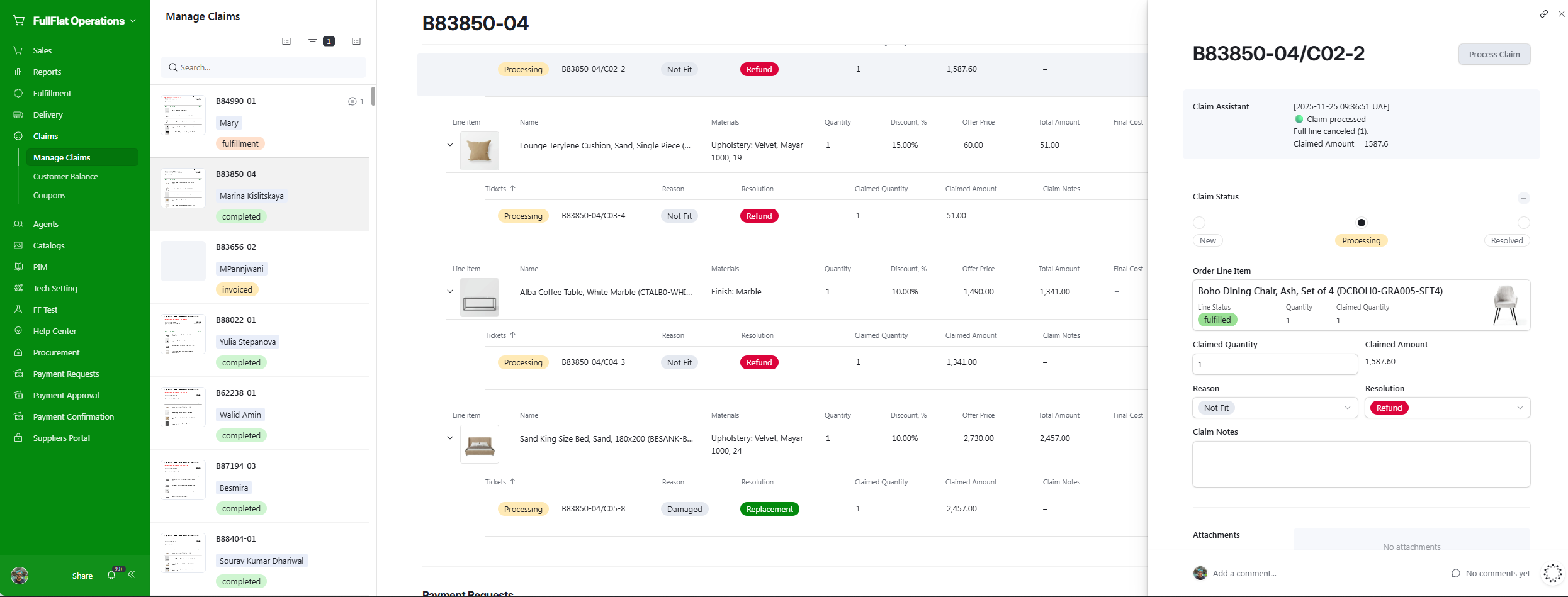
Post-delivery claims are managed through a dedicated interface linked to the original order. For each claim, the system automatically calculates refund and replacement amounts per line item, tracks claimed vs. paid amounts, and generates a Claim Statement document for the customer. Returned items are logged and routed back into inventory, keeping stock records accurate after a return.
Reporting & Plan vs. Fact
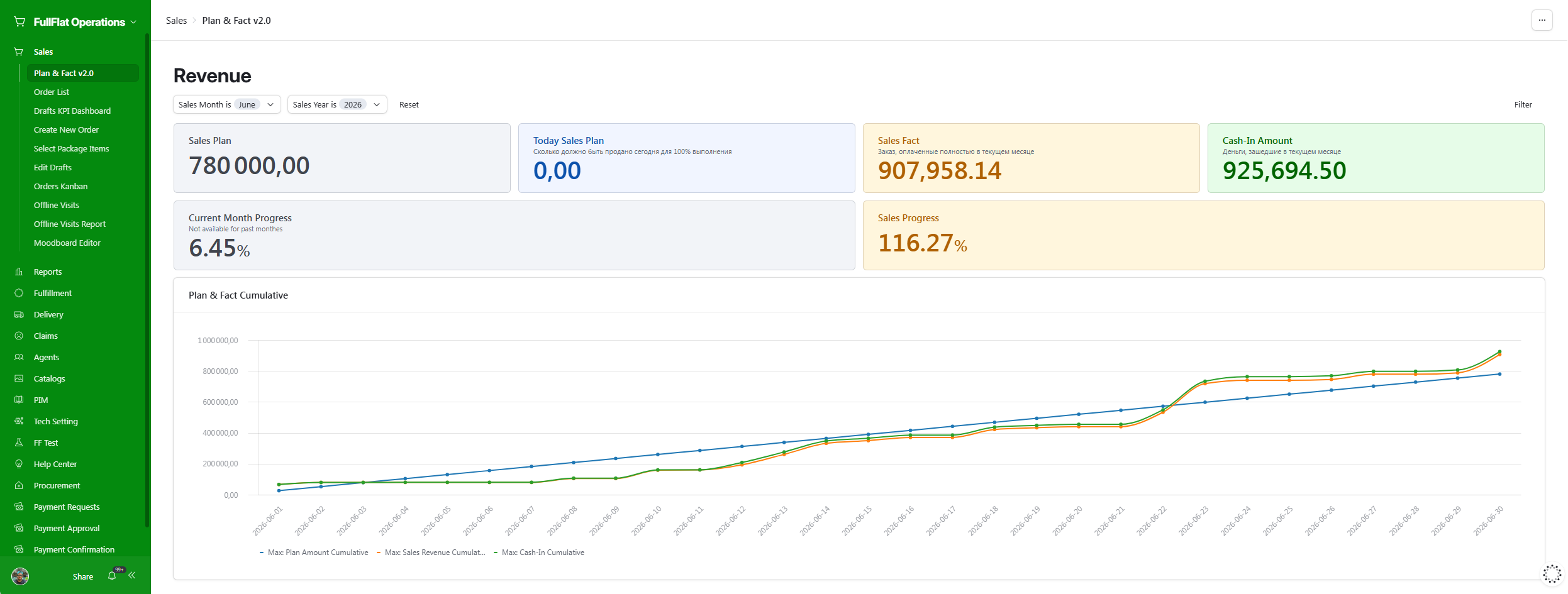
A dedicated dashboard breaks the monthly sales plan down into a daily cumulative target and tracks two live cumulative curves against it — sales revenue and cash-in amount — automatically calculated through backend automations. Management sees Sales Plan, Sales Fact, Cash-In Amount, and Sales Progress as live KPIs, with a cumulative Plan vs. Fact chart giving an at-a-glance read on whether the month is on pace.